Review Octjillery 3/5 · Dec 1, 2025
Really pretty, but frustrating controls
Noah was playing the second game in this series on Switch, and it sounded up my alley, so I picked the first game up on sale on Steam last week while I was on Fall Break. I also grabbed all of the DLC (some free, some paid), which basically doubled the puzzle count to 50.
I completed all 50 puzzles …
Noah was playing the second game in this series on Switch, and it sounded up my alley, so I picked the first game up on sale on Steam last week while I was on Fall Break. I also grabbed all of the DLC (some free, some paid), which basically doubled the puzzle count to 50.
I completed all 50 puzzles and earned all 32 Steam achievements.
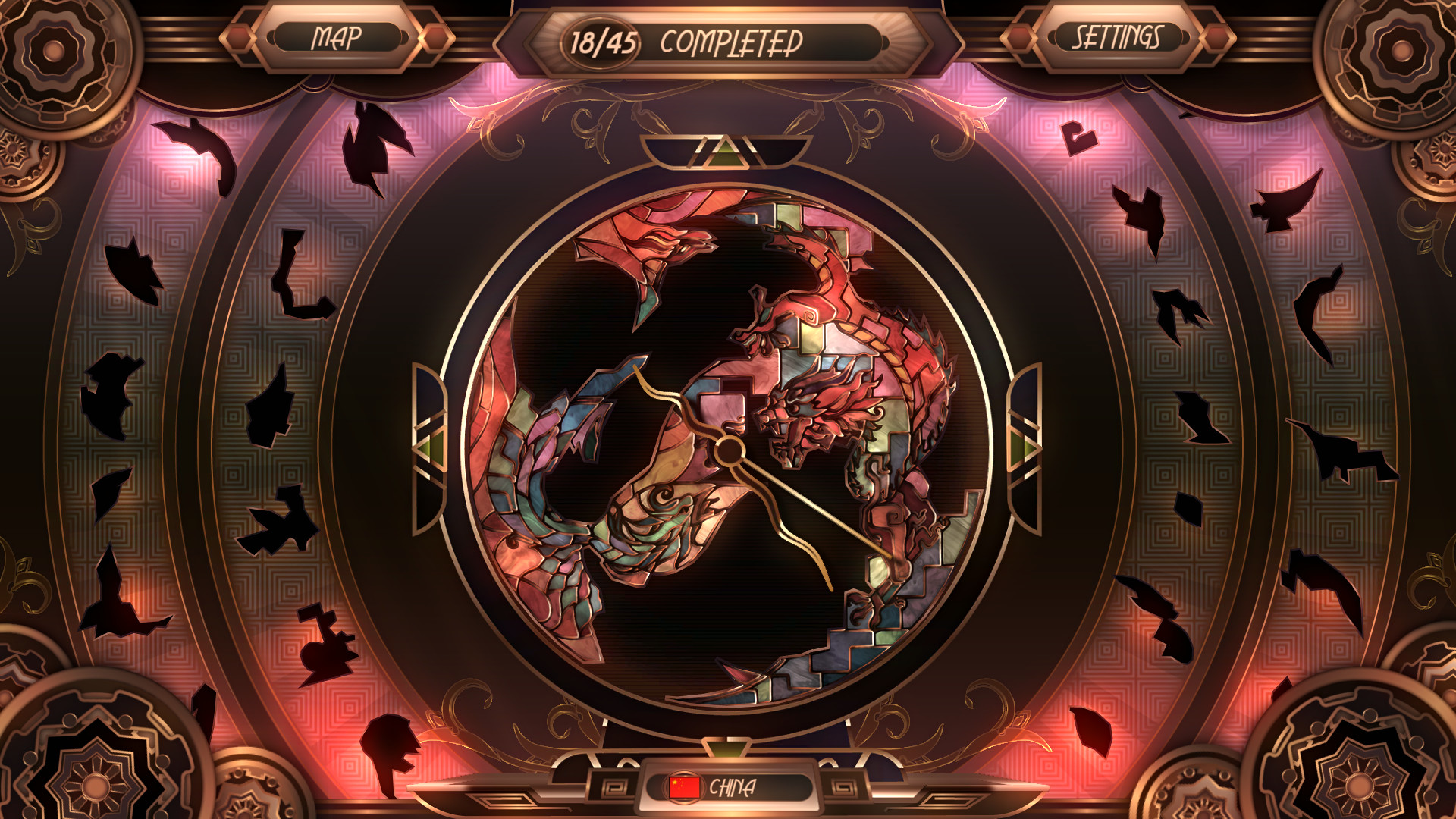
The puzzles themselves are really beautiful. In this first game, they're all meant to represent specific countries, so you've got dragons for China, the Statue of Liberty for the US, really pretty water and a ship for Portugal, etc.
The game is aesthetically pleasing, and the music is relaxing and chill without getting repetitive.
Actually playing the game could be intensely frustrating. I was on my PC more than I typically would be during a break from work, because I've been reading through the Predator comics and reviewing those as I finish each miniseries. So I played this in its entirety with a mouse while I was already at my computer. I have no idea how it plays/feels on the Deck.
First, you've got puzzle pieces that are all face-down on rotating dials to the left and right of the puzzle "board" or whatever you'd call where you're actually placing them. For the puzzles with a lower piece count, there's just one row on each side, and for the large ones, two rows on each side. You can click and drag to rotate the dials, or just scroll with the mouse. This was very finicky, and half the time that I was just trying to pick up and move a piece, I'd accidentally spin the stupid things. You also do not have access to all of the puzzle pieces on these dials until you've placed a certain amount. You might have an idea of the exact piece you need for a certain spot, but that piece could potentially not even be on the dials yet. ALSO, when you rotate, say, the left-most dial, it also rotates the right-most dial (so, the two outer edges). This makes sense, except for the fact that the dials actually have nothing to do with one another and aren't connected. It's not that the pieces on the right will eventually rotate to the left. Visually, they're connected, but they're not ACTUALLY.
You have NO option to sort the pieces at all. If you misplace one or just let it go, it goes right back to its spot in the line. The pieces auto-rotate to their correct position when you pick them up, and this is also the only time you can see the face of the pieces other than correctly placing them. Otherwise, they're face-down on the dials and turned whichever way.
At first, I was clicking and holding the pieces as I moved them, which was killing my wrist after a puzzle or two. Eventually I realized I could just click it and release the left mouse button and it wouldn't drop the piece unless I was hovering over the board when I let go. Once I retrained my muscle memory, it was more comfortable to play for longer. I think I originally was under the impression that I had to hold it because, again, clicking pieces could be kind of fucky and would instead click the dial and spin that shit at warp speed instead of moving the piece like I wanted, so there were times it dropped a piece the second I clicked.
Apparently the sequels are a bit better mechanically and also remove the annoying clock face that's on the puzzle board for no reason. I'll probably pick them up sometime.